
Hosting comparison pages all start to blur together. Fast servers. Great uptime. Friendly support. Low prices. Every host says the same things. So here’s how to choose a web host that will actually look after your business website.
You ask better questions. These ten cut through the marketing and show you how a host really works. They’re the same questions we’d want a customer to ask us, and we’ve included our own answers so you can see what a straight answer looks like.
A good host is happy to answer hard questions. If a host dodges them before you sign up, expect the same when something breaks.
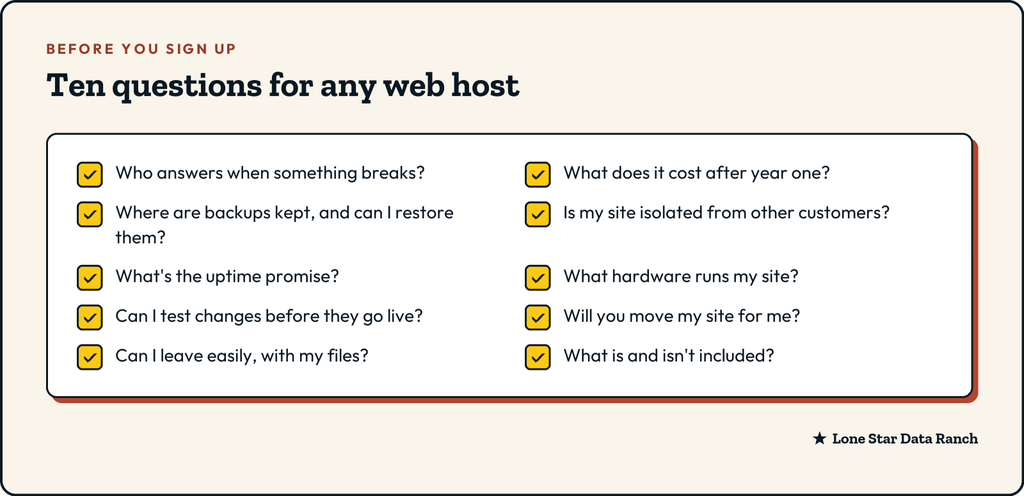
- Who answers when something breaks?
This matters more than any spec on the page. When your site goes down, do you reach someone who can actually fix it, or a script that escalates your ticket three times?
Ask how support works, who you’ll be talking to and how you reach them.
Our answer: support is 100% US-based, and tickets go straight to the people who run the servers. You reach us by ticket or email.
- What will it cost after the first year?
Many hosts advertise a low introductory price that jumps at renewal, sometimes to two or three times as much. Look for the renewal price, not just the sign-up price, and check whether the low price requires paying several years up front.
Our answer: monthly and yearly prices are shown right on our plans page. Plans run month to month with no contract, and paying yearly saves you money.
- Where are backups kept, and can I restore them myself?
“Daily backups” can mean very different things. Ask how long backups are kept, whether they’re stored somewhere other than the server your site runs on, and whether you can restore one without waiting on a ticket.
Our answer: daily backups kept for 90 days, stored off-site, and you can restore them yourself.
- Is my site isolated from other customers?
On cheap shared hosting, hundreds of sites can share the same space. If one gets hacked or overloaded, its neighbors can feel it. Ask how accounts are separated.
Our answer: on our Enhance plans, every site runs in its own isolated container, with a server-side firewall and antivirus scanning built in.
- What’s the uptime promise, and what does it mean?
Uptime is the share of time your site is reachable. Ask what the host guarantees and what happens if they miss it. Be wary of round claims like “100% uptime,” because no honest host can promise that.
Our answer: a 99.9% server and network uptime guarantee, and we watch the servers around the clock.
- What hardware does my site run on?
You don’t need to be technical to ask. Vague answers like “enterprise-grade servers” tell you nothing. Good hosts are happy to say what’s under the hood: the type of processor, the storage and the web server software.
Our answer: Ryzen 9 servers with Samsung Pro NVMe drives and DDR5 memory. LiteSpeed is our default web server, with caching set up for WordPress, and NGINX and Apache are available too.
- Can I test changes before they go live?
A staging site is a private copy of your website where you can try updates, plugins or design changes without risking the live site. If a host doesn’t offer one, every change is a gamble.
Our answer: staging is included on our WordPress and WooCommerce plans.
Before one contractor moved to us, a routine plugin update at their old host shifted the layout of their home page so the Get a Quote button disappeared on phones. Nobody noticed for a week. On a staging site, that would have been caught in five minutes, before a single customer saw it.
- Will you move my site for me?
Moving a website is where a lot of people get stuck. Ask whether the host will move your site, test it and help you switch your domain over, and whether there’s a charge for that.
Our answer: yes. Tell us where your site lives now, and we’ll move it, test it on our servers and help you switch your domain when it’s ready.
- Can I leave easily, with my files?
It’s an odd question to ask when signing up, but it tells you a lot. Can you download your full site and database whenever you like? Are there cancellation fees? A host that makes leaving hard is betting you won’t notice until it’s too late.
Our answer: no contracts, and canceling happens from your billing account. Your files are yours.
- What is and isn’t included?
Read the plan details for the things that quietly cost extra: SSL certificates, backups, email accounts, staging, migrations and help with WordPress itself. Ask what the host will and won’t touch on your site.
Our answer: free SSL, staging, off-site backups and US-based support come with every WordPress and WooCommerce plan. If you’d like us to handle WordPress updates, security and small edits too, that’s WordPress Care, an add-on with clear pricing.
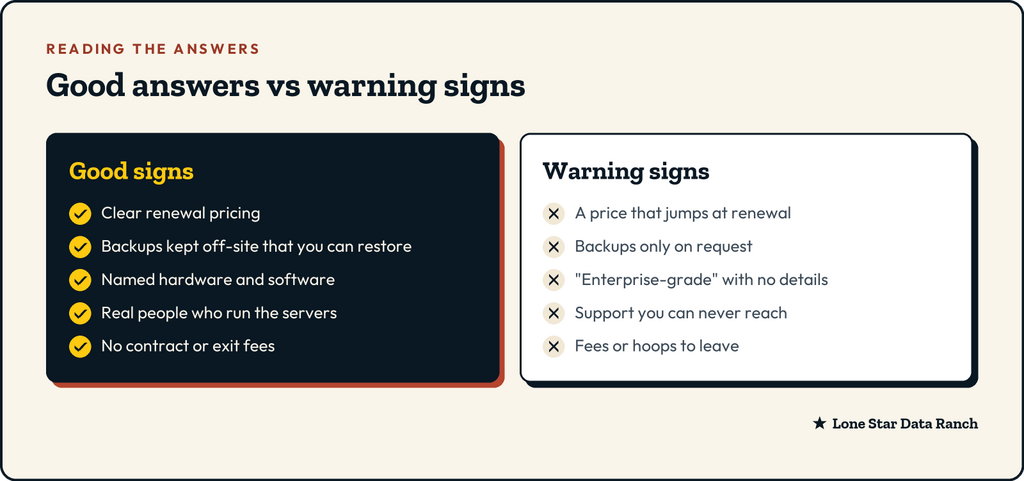
How to choose a web host: the short version
Don’t pick a host from a comparison chart. Pick the one that gives clear, specific answers to these questions, especially about support, renewal pricing and backups. Those three decide what your bad days look like.
If a friend asked us, we’d say: pick the host whose answers you understand, and who you’d trust to answer your ticket on your worst day.
Ask us anything on this list
We’re happy to answer every one of these questions for your specific site. Have a look at our plans, or tell us about your site and we’ll point you to the right one, even if it’s the cheapest.
★ Lone Star Data Ranch ★
Need a hand with yours?
Fast WordPress hosting and day-to-day care from a crew in Dripping Springs, Texas.